
Shoppers can rate each of Convi's answers in the chat with a thumbs up or a thumbs down. This article shows where to see those ratings and what to do about a thumbs down. It is for store owners and team members who check the quality of Convi's answers.
Plans: every plan and the free trial · Where: your store's chat, Convi admin › Conversations and Analyze › Quality · Who: the store owner, and team members whose role allows it · Time: about 5 minutes
How do shoppers rate an answer?
Shoppers rate an answer with the two thumbs under it in your store's chat. The thumbs appear when Convi has finished writing. A shopper selects one, can change it to the other, and can select it again to take it back. Their names are "Helpful" and "Not helpful".
There's nothing to turn on, and no setting to turn the thumbs off.
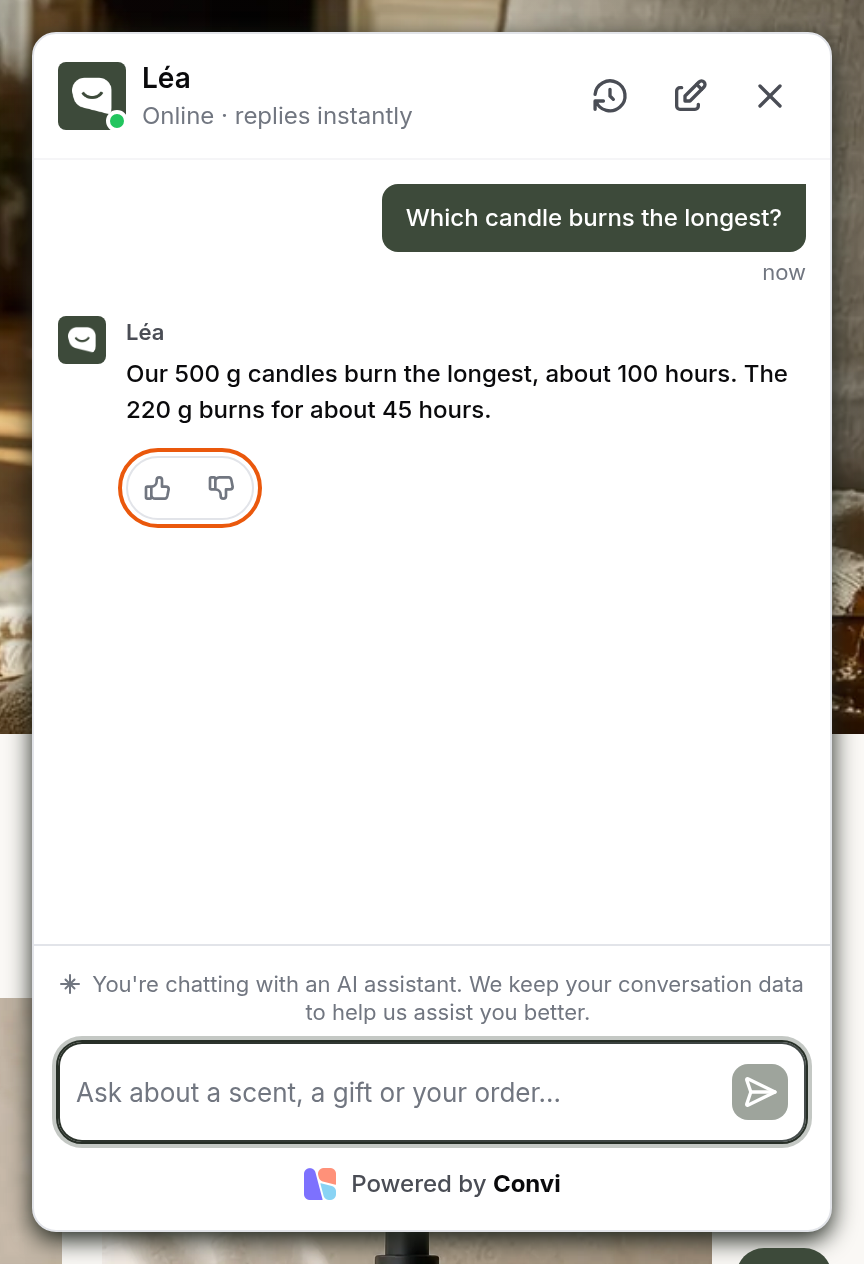
The thumbs under an answer, as a shopper sees them.
See a rating in a conversation
A rating shows as a badge under the answer it belongs to. To see it:
Go to Conversations and open the conversation.
Find the answer. Under it, you'll see one of these:
Positive feedback by user, with a thumbs up;
Negative feedback by user, with a thumbs down.
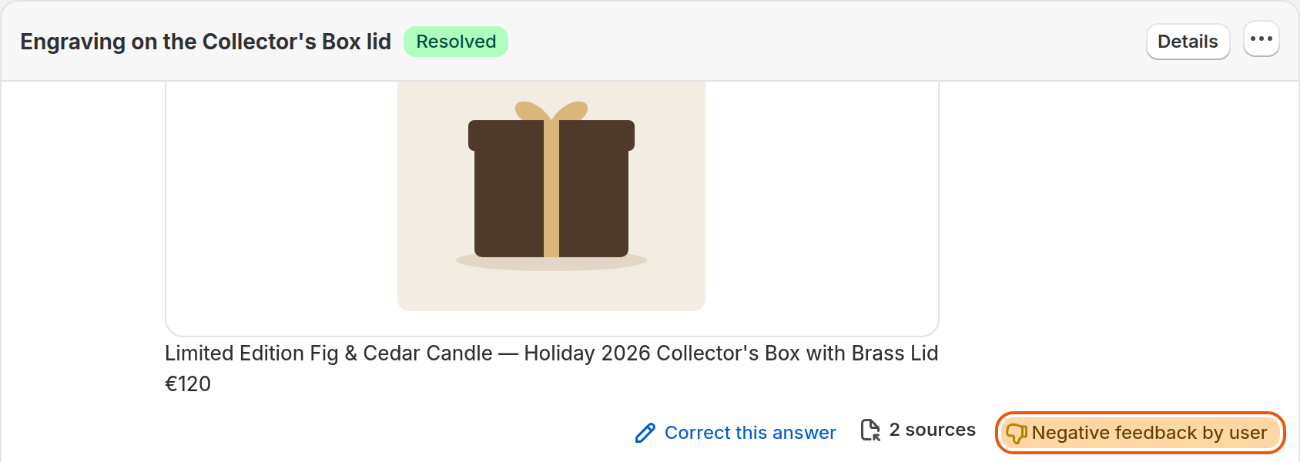
A reply the shopper gave a thumbs down.
Find conversations with a thumbs down
The Message feedback filter finds every conversation with a rating. To use it:
Go to Conversations.
Select Filter and sort (the icon right of the search box).
Under Message feedback, tick Thumbs down.
Select Done.
The list shows the conversations with at least one thumbs down. To see the good ones, tick Thumbs up instead.
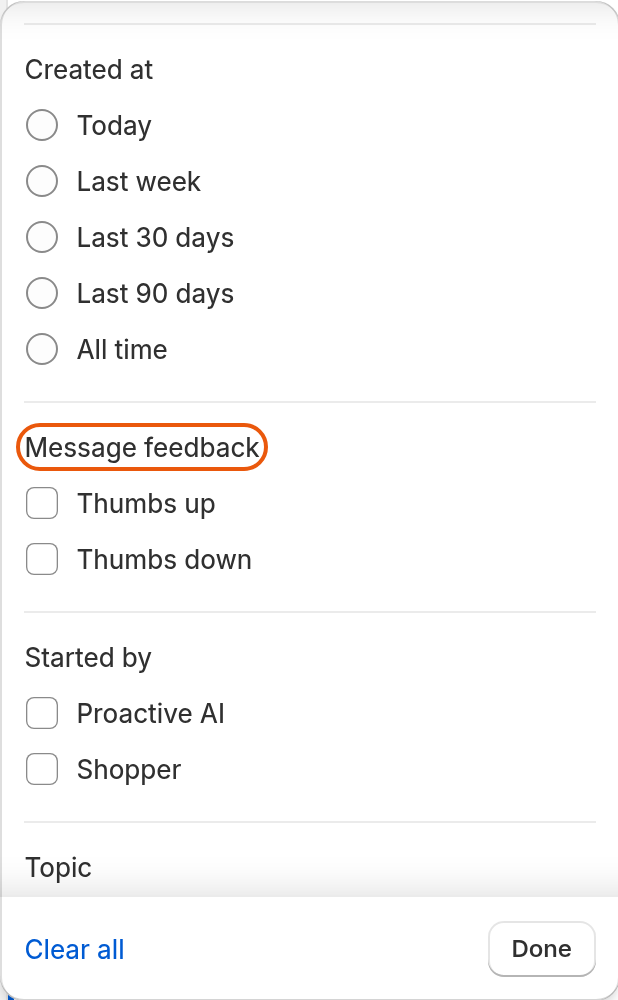
Message feedback in Filter and sort.
See the totals in Analyze
Analyze › Quality counts the ratings for the dates you choose. The Message feedback card there shows:
how many answers got a Thumbs up and how many a Thumbs down, with each one's share;
a bar with both, and Not rated for the answers nobody rated;
how many of Convi's messages shoppers rated, as a percentage.
The shares are of rated answers only, not of every answer Convi gave. When few shoppers rate, a few ratings can move them a lot.
To read the conversations behind the numbers, select See conversations with a thumbs down or See conversations with a thumbs up.
What should I do about a thumbs down?
A thumbs down tells you a shopper wasn't happy with an answer, not why. Open the conversation, read the answer and choose a fix from the table below.
What went wrong | What to do |
The answer was wrong | Select Correct this answer under the reply, and change the knowledge it used |
Convi didn't have the answer | |
The answer was right, but said in the wrong way | |
Convi should have passed it to a person |
To check a fix, go to Learn and ask the same question in the live preview.
On the Pro plan and higher, a thumbs down also matters to the replay of the visit. It puts the conversation near the top when you sort by Worth watching, and it keeps its replay for longer.
What ratings don't do
Ratings have these limits:
A rating doesn't change Convi's answers by itself. The answer changes when you fix it.
Thumbs are only in the chat on your store, not on other channels such as email or Shopify POS.
A shopper can't add a comment to a rating.
Shoppers rate single answers only. Convi doesn't ask them to rate a whole conversation.
Related
Find and filter conversations in the inbox — every filter in Conversations.
How does Convi learn about my store? — what Convi's answers are built from.
Write rules Convi always follows — change how Convi answers.