
You can connect Convi to helpdesks, email marketing apps, Shopify apps and your own AI assistant. You'll find them all on the Integrations page of the Convi admin. This article is for store owners who want to see what's possible before they connect anything.
Plans: depends on the tool, as the table below shows · Where: Convi admin › Integrations · Who: the store owner, and team members whose role allows it
Which tools can I connect?
The Integrations page groups tools by what they do. The table below lists the main groups, and the plan each tool needs.
Group | Tools | What they do | Plans |
AI assistants | Claude & ChatGPT | Work on Convi from the AI assistant you already use | Every plan and the free trial. Only the store owner can connect |
Helpdesk | Gorgias, Zendesk, Freshdesk | Turn a handoff into a ticket for your team | Every plan and the free trial |
Email & SMS marketing | Klaviyo, Mailchimp | Add shoppers' emails from the chat to your list or audience | Starter and higher, and the free trial |
Email & SMS marketing | Omnisend | Add shoppers' emails from the chat to your audience | Pro and higher, and the free trial |
Shopify apps & automation | Shopify Flow | Start your Flow workflows from Convi events, such as a handover or a captured email | Every plan and the free trial |
Shopify apps & automation | Notify Me!, Subi | Sign shoppers up for back-in-stock alerts, and handle subscription questions in the chat | Starter and higher, and the free trial |
Developers | Convi API | Build on Convi from your own code | Premium and higher, not in the free trial |
Zendesk is removing API tokens, so you can connect it only with a token you saved earlier, and only until April 30, 2027. Connect Zendesk to Convi explains who can still connect.
Places where shoppers reach Convi, such as email, aren't on this page. They're on the Channels page.
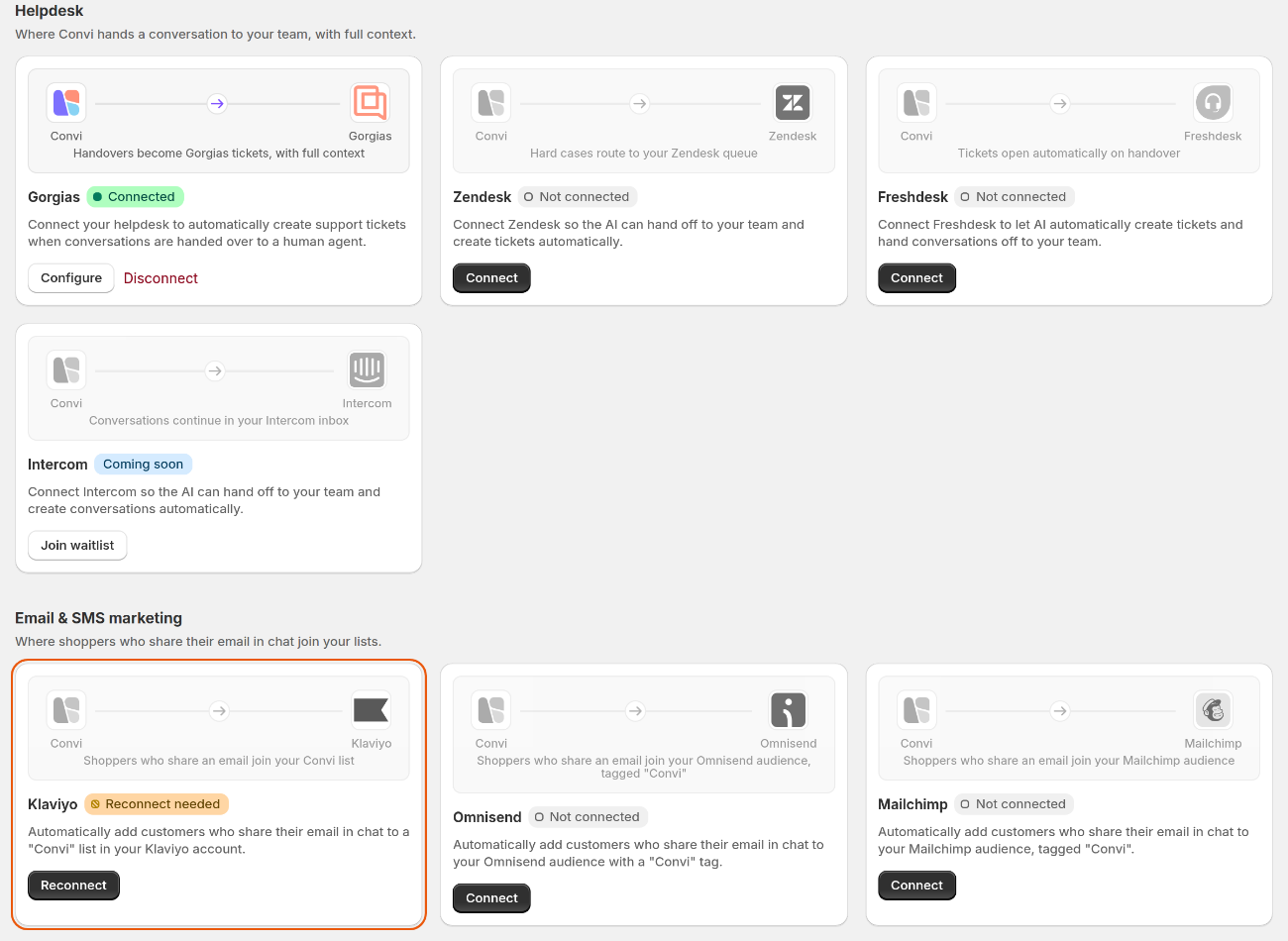
Two groups on the Integrations page. Each tile shows its status and what you can do next.
What do the labels on a tile mean?
Each tile has a label that shows its status. The table below lists the labels and what to do about each.
Label | What it means | What to do |
Connected | The tool is set up in Convi | Nothing. To change it, use the buttons on the tile, such as Configure |
Not connected | The tool isn't set up yet | Select the button on the tile, such as Connect |
Reconnect needed | The connection stopped working, so Convi has paused it | Select Reconnect, and follow the steps in the window |
Active | Shopify Flow is ready to use | Select Open Shopify Flow |
Setup needed | Notify Me! is installed, but its setup isn't finished | Select Open Notify Me! |
Skill off | The app is set up, but its skill in Learn › Skills is off | Select Turn on skill |
Upgrade plan | Your plan doesn't include this tool | Select the badge to see the plans that include it |
Coming soon | Convi can't connect to this tool yet | Select Join waitlist to hear when it's ready |
For a helpdesk, Connected means its details are saved in Convi. Convi doesn't check that they still work. To check, use Test handoff in the Handover to human skill.
Do I have to test a connection?
Most connection windows have a Test connection button, which checks your details with the other tool. You'll see "Connection successful!" when they work. The table below shows where the test is needed.
Tool | Is the test needed? |
Gorgias, Zendesk, Freshdesk | No, but Convi doesn't check your details when it saves them, so test them first |
Klaviyo, Mailchimp, Omnisend | Yes. You can't save until the test passes |
What happens after I connect?
What happens next depends on the group.
Helpdesks: usually nothing yet. To start tickets, pick the helpdesk under Where handoffs go, in the Handover to human skill. A ticket needs the shopper's email, so Convi asks for it first.
Email marketing apps: Convi starts adding the emails from past conversations, and then adds each new email.
Can I connect Intercom?
You can't connect Intercom to Convi yet. Its tile under Helpdesk shows Coming soon. To hear when it's ready, select Join waitlist on the tile.
Related
Hand over a conversation and take it back — choose where handoffs go once a helpdesk is connected.
Collect shoppers' emails with Lead capture — the main way shoppers' emails reach your email marketing app.
Use Convi from Claude or ChatGPT — connect your own AI assistant.
Convi's plans and prices — what each plan includes.