
Connect Gorgias so that a conversation Convi can't finish becomes a Gorgias ticket for your team. This article is for store owners whose team answers shoppers in Gorgias.
Plans: every plan and the free trial · Where: Convi admin › Integrations › Helpdesk, and your Gorgias account · Who: the store owner, and team members whose role allows it · Time: about 5 minutes
Before you start: you need to be an owner or admin in Gorgias. Only they can see the API details.
What does the Gorgias connection do?
The Gorgias connection lets Convi create a ticket in Gorgias for each handoff. Connecting alone sends nothing, unless your store still uses the old Automate handover setting. Otherwise, tickets start only after you pick Gorgias under Where handoffs go, as this article shows.
When Convi hands a conversation over to Gorgias:
Convi asks the shopper for their email, if it doesn't have it yet.
The AI stops answering, and tells the shopper that your team will reply by email.
Convi creates the ticket.
The table below shows what the ticket holds.
Part of the ticket | What Convi sends |
Subject |
|
Message | A short summary of the conversation, written by Convi's AI. If there's no summary yet, the shopper's last message |
Customer | The shopper's email |
The ticket doesn't hold the whole chat. The conversation also stays in Convi, under Needs help in Conversations, where you can read all of it.
Find your subdomain and API key in Gorgias
Gorgias shows the three details Convi needs on one page. To find them:
In Gorgias, select the Settings icon at the bottom left.
Under Account, select REST API.
Find API Access & Credentials. It lists Base API URL, Username and Password (API Key).
If there's no key yet, select Create API key.
Keep this page open. The table below shows where each detail goes in Convi.
Field in Convi | What to enter | Example |
Gorgias subdomain | The part of Base API URL between |
|
Username (Email) | Username from Gorgias | |
API key | Password (API Key) from Gorgias |
A Gorgias API key belongs to your own Gorgias user, and it gives full access to your Gorgias account. If someone resets it in Gorgias, the old key stops working at once.
Connect Gorgias in Convi
You connect Gorgias from its tile on the Integrations page. To connect it:
In the Convi admin, go to Integrations.
Under Helpdesk, find Gorgias and select Connect. The Configure Gorgias window opens.
Enter your Gorgias subdomain, Username (Email) and API key.
Select Test connection. You'll see "Connection successful!"
Select Connect. You'll see "Helpdesk integration saved successfully."
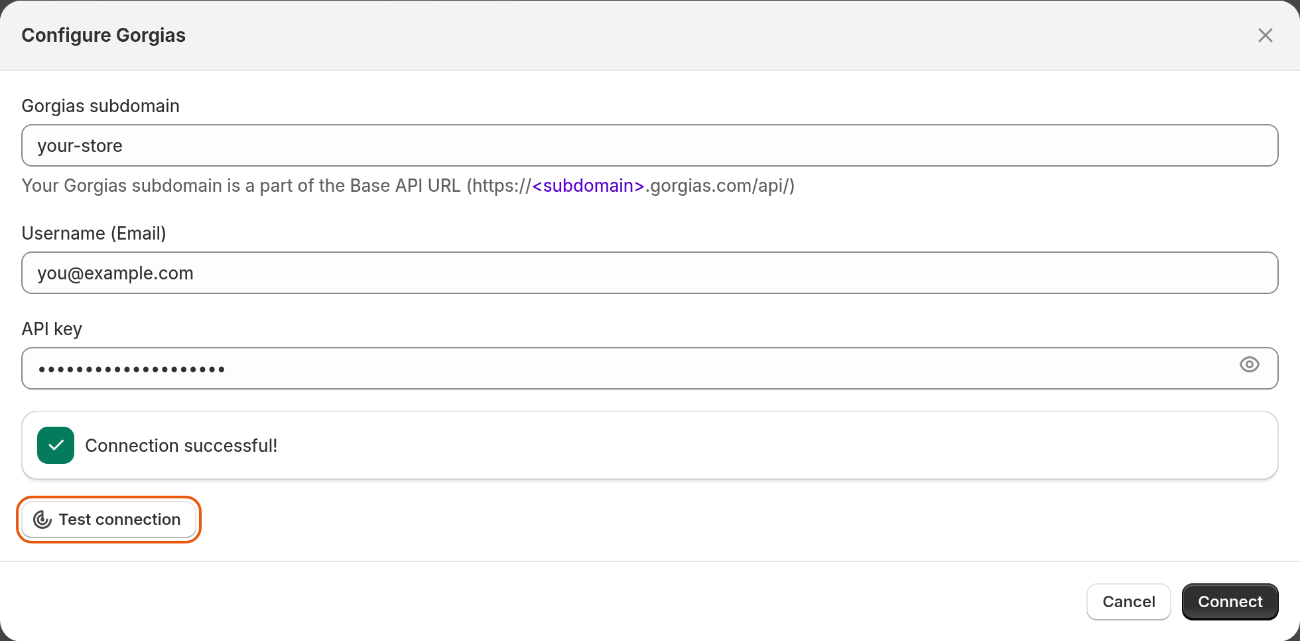
The Configure Gorgias window after a successful test.
The test is optional, and Connect works without it. But Convi doesn't check your details when it saves them, so test them first. The Gorgias tile now shows Connected.
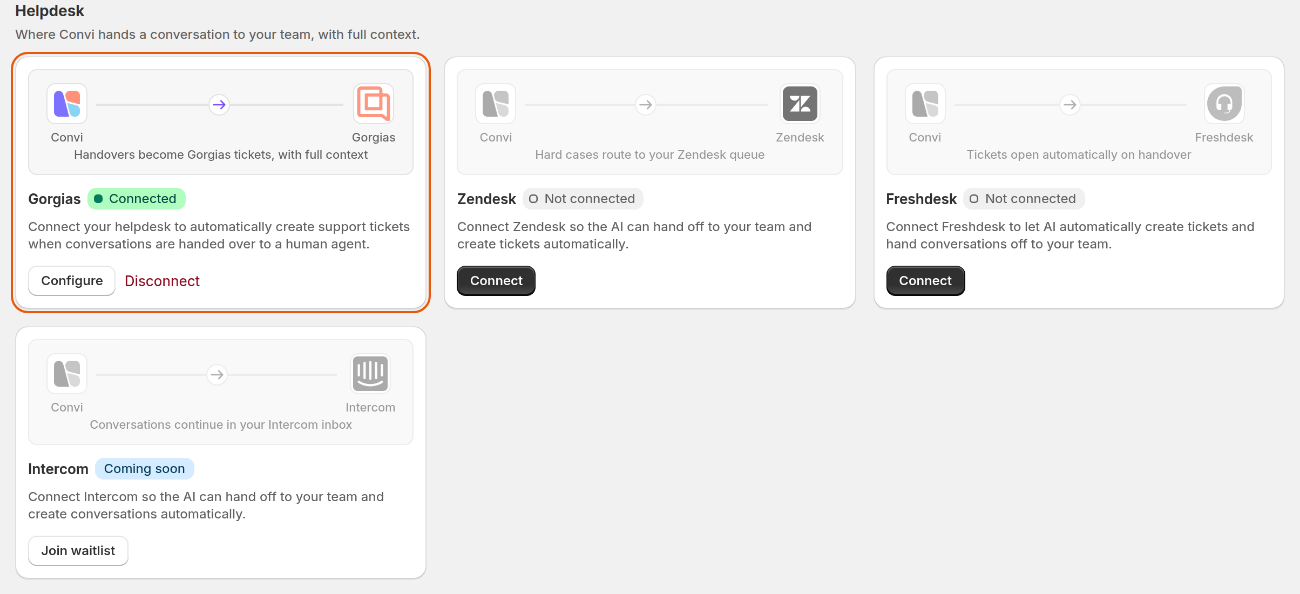
The Gorgias tile once it's connected.
Send handoffs to Gorgias
To send tickets to Gorgias, pick it in the Handover to human skill. To pick it:
In the Convi admin, go to Learn › Skills.
Find Handover to human and select Configure.
Under Where handoffs go, choose Send to your helpdesks.
Under Helpdesks, tick Gorgias.
To share the ticket number with the shopper, tick Include the ticket ID.
Select Test handoff. You'll see "Test ticket #… created in Gorgias" and a link to open it.
Select Save. You'll see "Skill updated successfully".
Test handoff creates a real ticket in Gorgias, with the subject "[Test] Convi handoff test". It uses your store's contact email as the customer. You can close it.
Check a real handoff
A real handoff shows you what your team will see. To check one:
Open your store in a private browser window.
Open the chat and ask to speak to a person.
Give an email address when Convi asks for one.
Open Gorgias. The new ticket should be there.
A chat on your live store counts like any shopper's conversation.
Change or disconnect Gorgias
You change the connection from the Gorgias tile on the Integrations page. Convi never shows the saved key, so you enter it again. To change the connection:
Select Configure.
Enter the changes.
Enter the API key again.
Select Save. You'll see "Helpdesk integration saved successfully."
To disconnect it:
Select Disconnect on the tile.
Select Disconnect again to confirm. You'll see "Gorgias integration disconnected successfully."
A disconnected helpdesk stays picked in Handover to human, and shows Disconnected there. Your other picked helpdesks still get tickets. If none is left, conversations go to Needs help in Conversations, and your team gets an email alert. The Handover settings call this list "Needs your reply".
What if no ticket appears in Gorgias?
Most ticket problems come from the details saved in Convi. The Gorgias tile shows Connected whenever details are saved, even if they no longer work, so use Test handoff to check them. The table below lists what you might see.
What you see | Likely cause | What to do |
"Connection failed. Please check your credentials and try again." | A wrong subdomain, username or key | Enter only the subdomain, not the full address. Copy the other two again |
"The test handoff didn't go through. Try again." | A wrong subdomain, or Gorgias didn't answer | Select Configure on the tile, and check the subdomain. Then try again |
"Gorgias rejected the connection. Reconnect it in Integrations and try again." | The key was reset, or the wrong user's email is saved | Select Configure on the tile, and enter the current details |
"Gorgias is limiting requests right now. Try again in a minute." | Gorgias is limiting API requests | Wait a minute, and test again |
The conversation is in Needs help, and your team got an email alert | Convi couldn't create the ticket in any picked helpdesk, or a reply limit handed the conversation over before the shopper gave an email | Answer the shopper in Conversations. Then select Test handoff |
No ticket, and no handoff either | The shopper didn't give an email, so Convi didn't hand over | Nothing to fix. Convi asks for an email before it hands over |
What the Gorgias connection doesn't do
The connection only creates tickets. It has these limits:
Replies you send in Gorgias don't appear in Convi.
Messages the shopper sends after the handoff don't reach the ticket.
Selecting Hand over yourself in Conversations doesn't create a ticket. Only Convi's own handoffs do.
Related
Hand over a conversation and take it back — the three choices under Where handoffs go, and when Convi hands over.
Choose what Convi can do with skills — every skill, including Handover to human.
Contact the Convi team — if tickets still don't arrive.