
This article is for store owners and the team members who answer shoppers. It shows how to choose what happens when Convi can't finish a conversation, how to take over a chat yourself, and how to give it back to the AI.
Plans: every plan, and the free trial · Where: Convi admin › Learn › Skills, and Conversations · Time: about 5 minutes
Choose where handoffs go
Where handoffs go is set in the Handover to human skill. To choose it:
In the Convi admin, go to Learn › Skills.
Find Handover to human and select Configure.
Check that Use this skill is on.
Under Where handoffs go, choose one of the three options in the table below.
Select Save.
You'll see "Skill updated successfully".
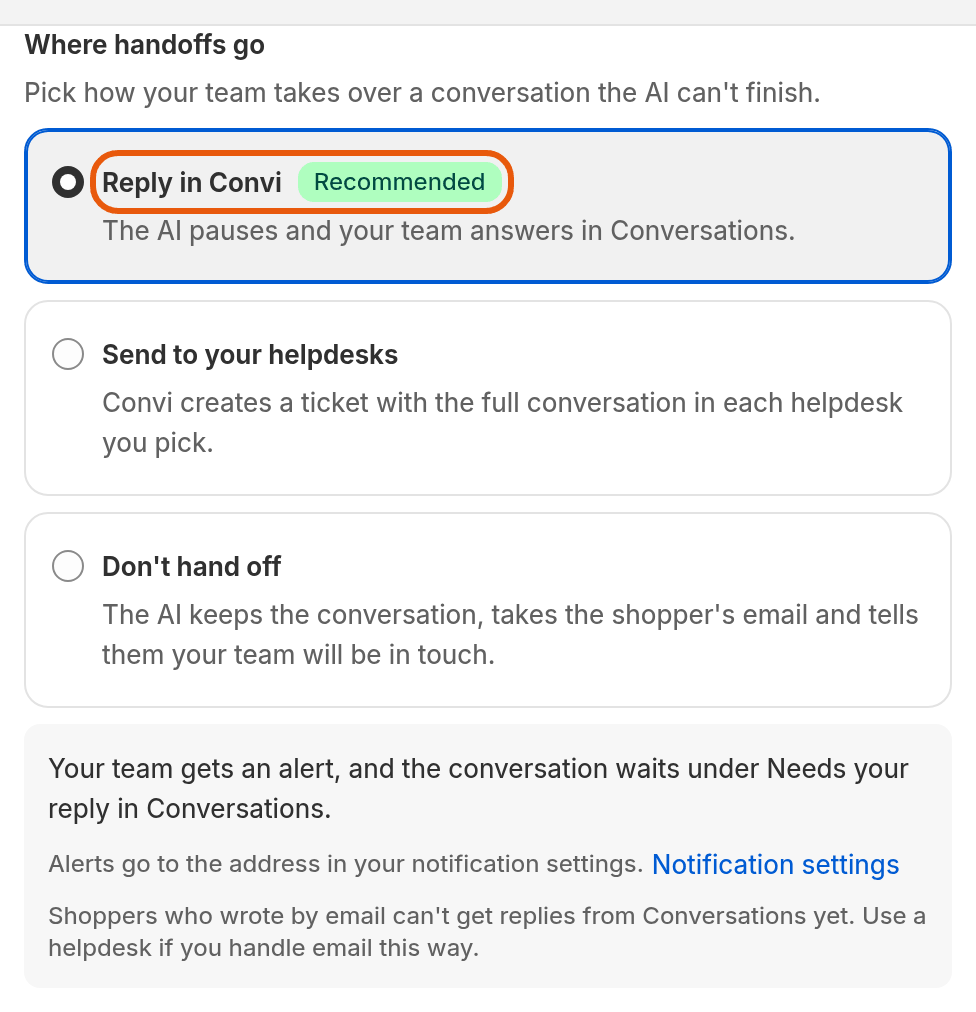
The Handover to human settings. Reply in Convi is the recommended choice.
The table below explains the three choices under Where handoffs go.
Choice | What happens | Use it when |
Reply in Convi | The AI pauses. Your team gets an email alert and answers in Conversations. | Your team answers chats in Convi |
Send to your helpdesks | Convi creates a ticket with the full conversation in each helpdesk you pick: Gorgias, Zendesk or Freshdesk. | Your team works in a helpdesk |
Don't hand off | The AI keeps the conversation, takes the shopper's email and tells them your team will be in touch. | Nobody can answer chats live |
Note: Alerts for Reply in Convi go to the email address in Settings › Notifications. Shoppers who wrote to you by email can't get replies from Conversations yet. If you answer email this way, use a helpdesk.
Choose when Convi hands over
When Convi hands over is set in the same Handover to human skill, in Learn › Skills. To choose the cases:
Go to Learn › Skills.
Find Handover to human and select Configure.
Check that Use this skill is on.
Under When to hand over, tick the cases you want. The list has common cases, such as a shopper asking to speak to a person.
To add a case of your own, write it in Also hand over when…, in 200 characters or fewer. For example: "The shopper asks about a custom engraving".
Select Save.
You'll see "Skill updated successfully". From now on, when any case you ticked happens, Convi does what Where handoffs go says: your team answers in Conversations, the conversation goes to your helpdesk, or, with Don't hand off, Convi takes the shopper's email instead.
Send handoffs to your helpdesk
Convi can send each handoff to Gorgias, Zendesk or Freshdesk as a ticket. To set this up:
Connect the helpdesk in Integrations.
Go to Learn › Skills, find Handover to human and select Configure.
Check that Use this skill is on.
Under Where handoffs go, choose Send to your helpdesks.
Under Helpdesks, pick one or more helpdesks. Each one gets its own ticket.
To share the ticket number with the shopper, turn on Include the ticket ID.
Select Test handoff. You'll see "Test ticket #… created in …" and a link to open the ticket.
Select Save. You'll see "Skill updated successfully".
If Convi can't create a ticket for a handoff, the conversation waits in Conversations instead.
Take over a conversation yourself
You can take over a conversation from Convi even when Convi didn't hand it over. This works for any open conversation, except one from Shopify POS. A shopper who wrote to you by email can't get your reply from Conversations yet: answer email in your helpdesk. To take over:
Go to Conversations and open the conversation.
Select Hand over at the top of the conversation.
Write your reply in the box at the bottom.
Send it.
The AI stops answering this shopper. The top of the conversation shows Handed over and the reason, for example Handed over · Merchant takeover. The shopper sees "You're chatting with the team", so they know a person is answering.
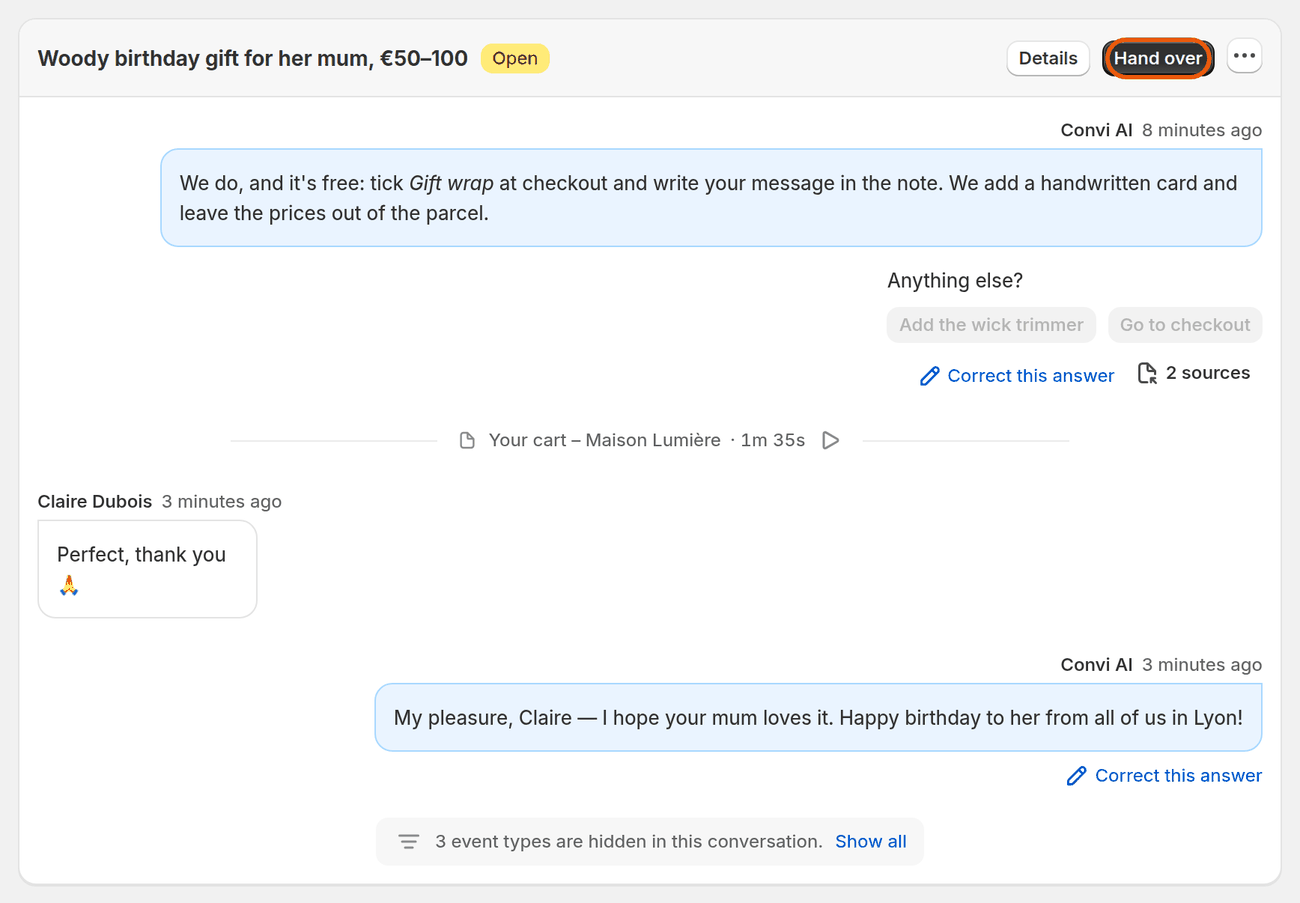
A conversation the AI is answering. Hand over gives it to you.
Answer a conversation that was handed over
Conversations that Convi handed over to your team are listed under Needs help in Conversations. The Handover settings call this list "Needs your reply". A shopper who wrote by email can't get your reply from Conversations yet: answer email in your helpdesk. To answer one:
Go to Conversations and select Needs help.
Open the conversation. The top shows why it was handed over, for example Handed over · Sensitive topic.
Write your reply in the box at the bottom.
Send it.
Your reply appears in the conversation under You.
Tip: If the shopper has left your store, Convi also emails your reply to the address they gave in the chat. This is the setting Email my replies to shoppers who left the chat in the Handover to human skill. It is on by default.
Use an AI draft reply
AI draft replies help your team answer a handed-over conversation faster. Convi suggests a reply, and nothing is sent until you send it.
AI draft replies are being released to stores gradually. Convi turns them on store by store. Until your store has them, you won't see AI draft replies for your team in the Handover to human settings, or drafts in Conversations. Even in a store that has them, some conversations get no draft. The image below shows a store that has them.
To use a draft in a handed-over conversation:
Open the conversation in Conversations.
Under AI draft, read the suggested reply.
Select Use draft. The draft moves into the reply box.
Edit the text if you need to.
Send it.
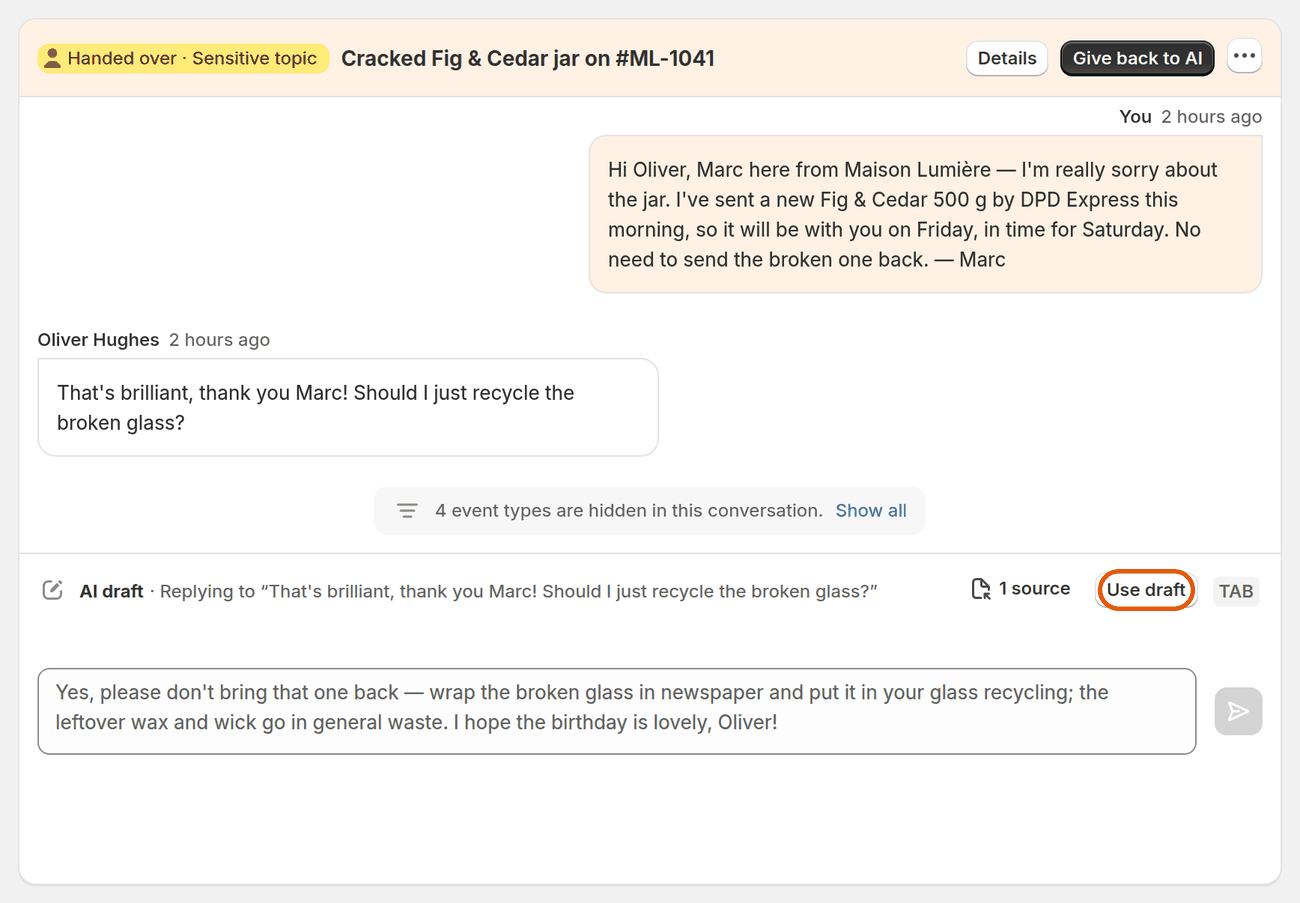
A handed-over conversation in a store that has AI draft replies.
Give a conversation back to the AI
You can give a handed-over conversation back to Convi when your team has finished with it. To give it back:
Go to Conversations and open the conversation.
Select Give back to AI.
Convi answers the shopper's next message. A conversation handed over as Reply limit reached goes back to your team at the next message until your plan or its spending limit allows replies again.
Resolve a conversation
You can close a conversation in Conversations when the shopper's question is answered. To resolve it:
Go to Conversations and open the conversation.
Select Resolve. On a narrow screen, it is in the menu (…) at the top of the conversation.
You'll see "This conversation was marked as resolved."
Do handovers count toward my plan?
No, a handed-over conversation doesn't count toward your plan. Convi counts a conversation only when the AI answered it and it wasn't handed over to your team.
What handover doesn't do
Handover has these limits today:
Convi doesn't create tickets in Intercom. The Intercom card in Integrations is a waitlist.
With Reply in Convi, shoppers who wrote by email can't get replies from Conversations. Use a helpdesk for email.
Conversations from Shopify POS can't be taken over, because a reply can't reach a POS device.
Related
Why isn't Convi answering shoppers? — what to check when Convi stops answering, including handovers.
How does Convi learn about my store? — teach Convi the answers, so fewer conversations need your team.
Go live with the setup steps on Home — the first steps after you install Convi.